
Mobile Apps
How to make a Bible verse image to share
Create a shareable Scripture image with Bible Widgets. Choose a background, adjust the text and check the verse reference before sharing.
Updated: 2026-10-27
 Mobile Apps
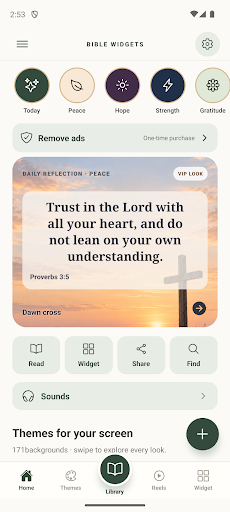
Turn a short passage into a verse card
When sharing a verse, a clear layout helps the reader take it in at a glance. Bible Widgets: Daily Verse lets you create a design with a verse or your own text and share the result as an image.
Original Google Play images; the interface in these screenshots is in English.
Choose the text and background together
Select the passage first, then adjust the background theme, font, size and colour. Consider using a shorter passage instead of making a long one tiny. If you add a personal note, distinguish it from the Scripture text and check the verse reference.
Read it once more before sharing
Check that the whole verse and its reference remain readable in the finished image. The available sharing destinations depend on your phone. Some design options are part of Premium; their scope and price are shown in the app.
Languages and download
The Scripture library is available in English, Spanish and Portuguese. The interface also supports French, German and Italian. Store availability can vary by country and device.