
Mobile Apps
How to add a Bible verse widget on Android
Add a daily Bible verse widget to your Android home screen with Bible Widgets. Learn how to choose a size and check the available Scripture languages.
Updated: 2026-10-27
 Mobile Apps
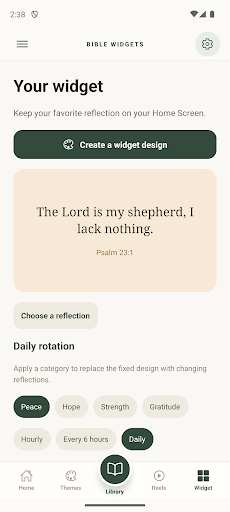
Keep a verse on your home screen
A widget lets you return to a verse without opening the app each time. Bible Widgets: Daily Verse offers small, medium and large home screen widgets. You can display a changing daily verse or keep a favorite verse in place.
Original Google Play images; the interface in these screenshots is in English.
Add the widget on Android
Touch and hold an empty area of your home screen, then open the widget list. Find Bible Widgets, choose an available widget and place it on the screen. Menus vary by phone and launcher. If resizing is supported, touch and hold the widget and drag the handles that appear.
Check the language before you start
Choose the app language and the content language separately. Before settling on a widget size, make sure the verse and its Bible reference are readable on your screen.
Languages and download
The Scripture library is available in English, Spanish and Portuguese. The interface also supports French, German and Italian. Store availability can vary by country and device.